
Features
Everything Fast Reply does
Built for the people who answer the same five questions all day, and need the answer to come out right every time.
The keyboard
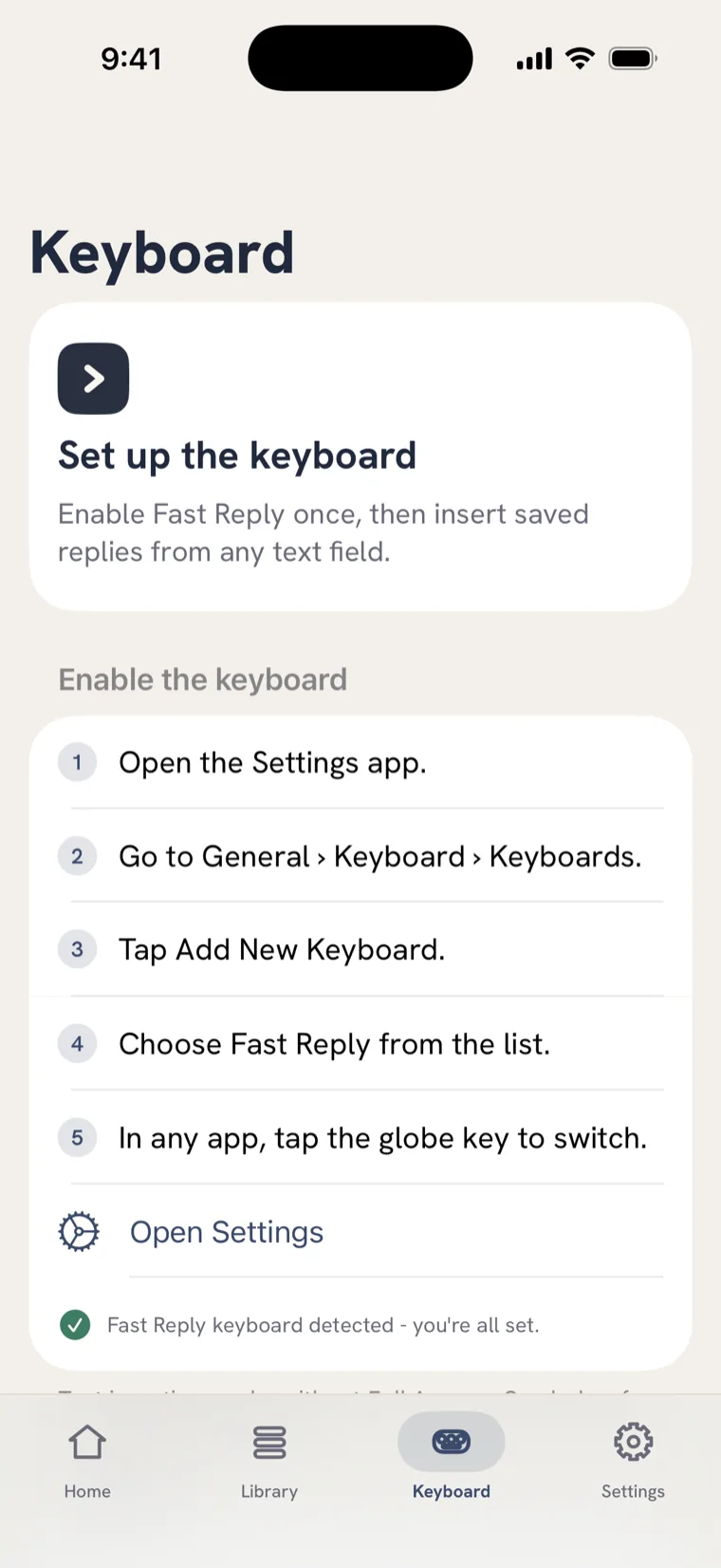
Works in every app you already type in
Fast Reply is a real iOS keyboard. Tap the globe key in any app and your library is right there - Messages, Mail, WhatsApp, Instagram, Slack, a support tool, a browser form. Tap a reply and it's typed.
Prefer not to switch keyboards? Your replies are also a home-screen widget, an iMessage app, a Share-sheet action, and a Siri shortcut - whichever you reach for first.
Blanks
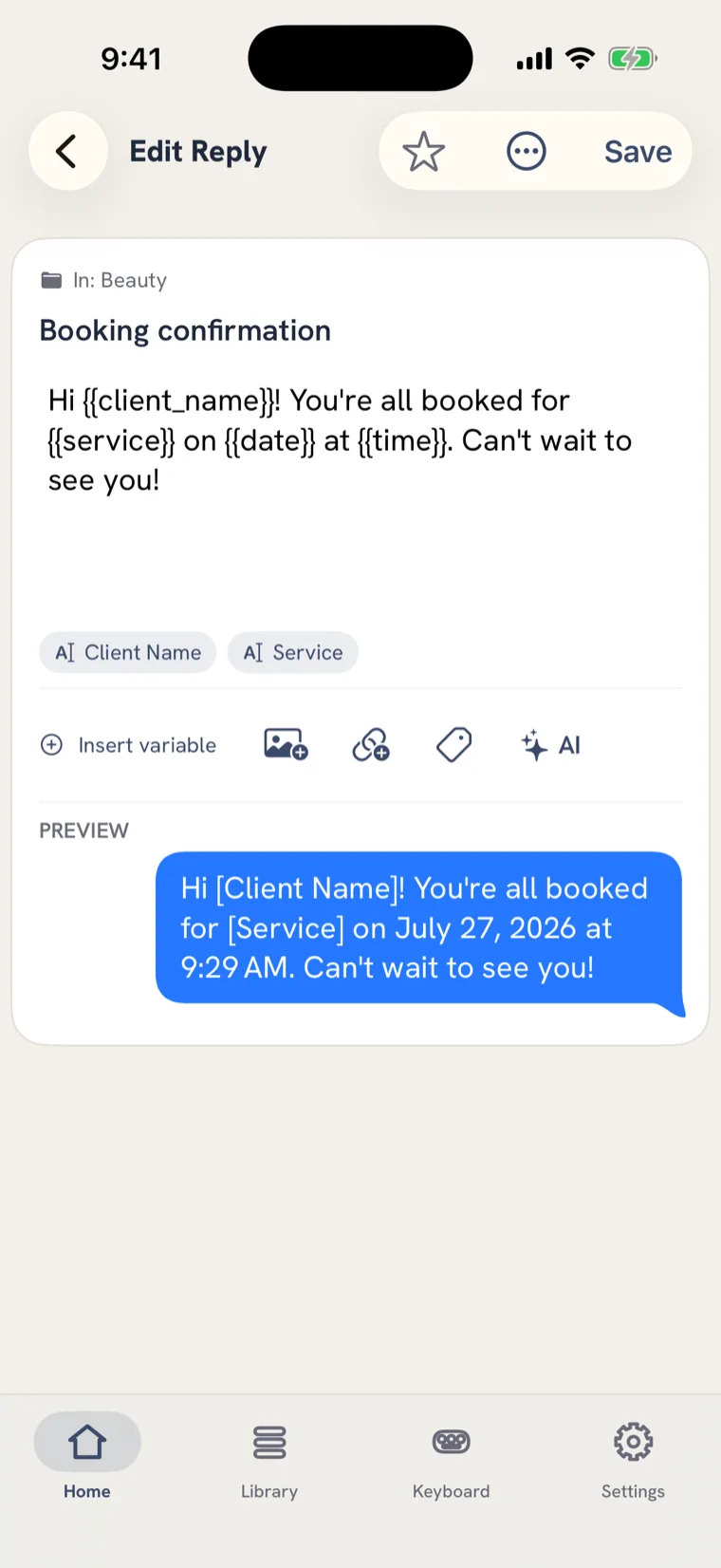
One reply, personalised on the way out
Put a blank anywhere in a reply. On the way out, Fast Reply asks what goes in it, so one template covers every client without ever going out half-finished.
Greeting, date, time and clipboard resolve on their own. Your own details - name, business, phone - come from a profile you fill in once. And you can let a reply vary its wording, so the tenth send doesn't read like the first.
Organisation
Keeping a real library in order
-
Folders inside folders
By client, property, project or channel - nested as deep as the work needs.
-
Smart collections
Rules instead of filing: recently used, most used, everything matching a term.
-
Attachments
Pin a logo, a price sheet or a link to a reply so the whole message goes out together.
-
Shared team libraries
Up to five people answering from the same approved wording.
-
Send a folder to anyone
A private link hands over the whole folder. Installing one is free.
-
iCloud sync and history
Your library on every device, with earlier versions of a reply kept so an edit is never a one-way door.
AI Assist
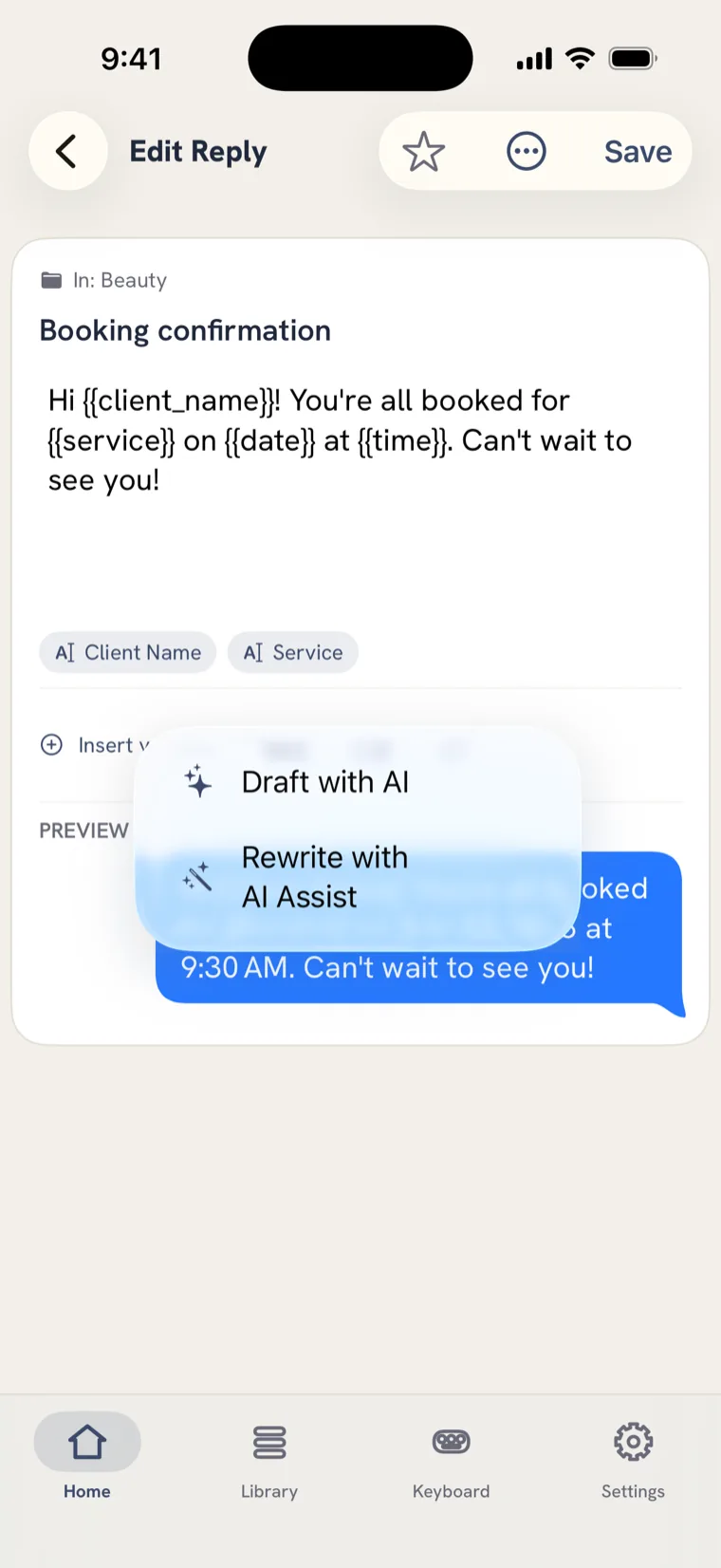
Reworded in a tap, on your phone
Reword a reply warmer, shorter or more polished in one tap. It runs on device on supported iPhones, so the text doesn't leave the phone to get fixed.
It's a tool for the reply you already wrote - not a chatbot that invents what you meant to say.
Save your first reply in under a minute.
Then never type it again. $19.99 a year or $2.99 a month after a 7-day trial - and free to keep using the replies you already have.
For iPhone and iPad · English and Spanish