
iPhone keyboard · Saved replies & templates
Send the reply, skip the typing.
The messages you send all day, waiting on your keyboard in every app - each one ready to personalise as it goes out. Save an hour of retyping this week.
- Free to use the replies you have
- 7-day free trial on Pro
- Works in every app you type in
- English and Spanish
Free to start
Get set up in a minute, keep it free forever
Save your replies and send them as often as you like at no cost. Upgrade to Pro only when you want the time-savers - blanks, sync across your devices, and a library your whole team shares - for $19.99 a year or $2.99 a month.
No account, no setup. Your replies stay on your phone.
Try it here
Open a folder, tap a reply, it's sent.
A question comes in. You open the folder your reply lives in, tap it, and it lands complete - name filled, date filled, ready to send. Watch it happen on the right. That's every message you dread, handled in a second.
- Your replies, in folders, on the keyboard in every app
- Names, dates and times fill themselves in
- Send a logo or price sheet along with it
Hi! Is the 2:00 showing on Ellis still open?
Yes, 2:00 PM is still open. Want me to hold it for you?
A question you have answered all week. Open the folder your reply lives in. There's the reply that answers it. Tap it - it asks for the one detail that changes. Type the time. The preview fills in live. Insert, send. Two seconds, done.
A look inside
Everything where you'd expect it
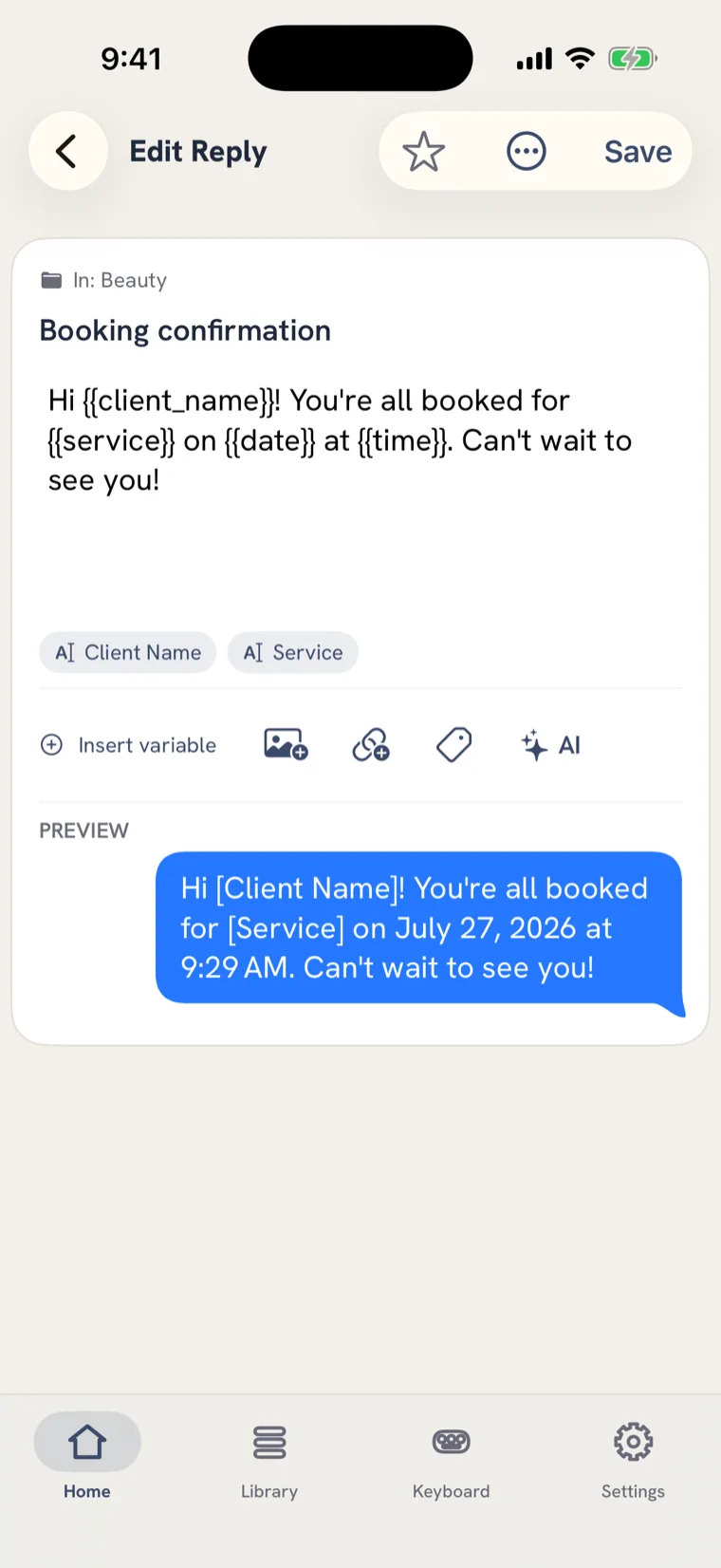
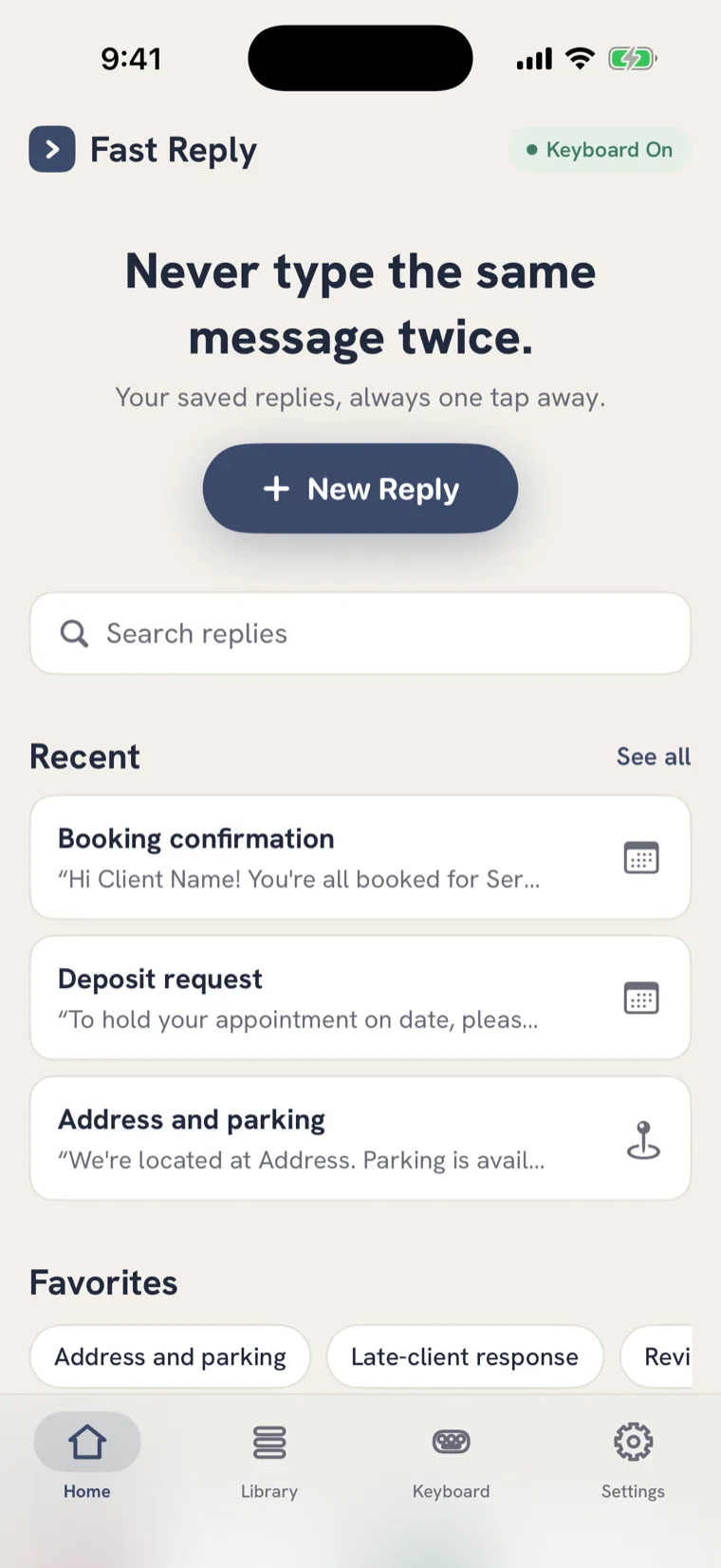
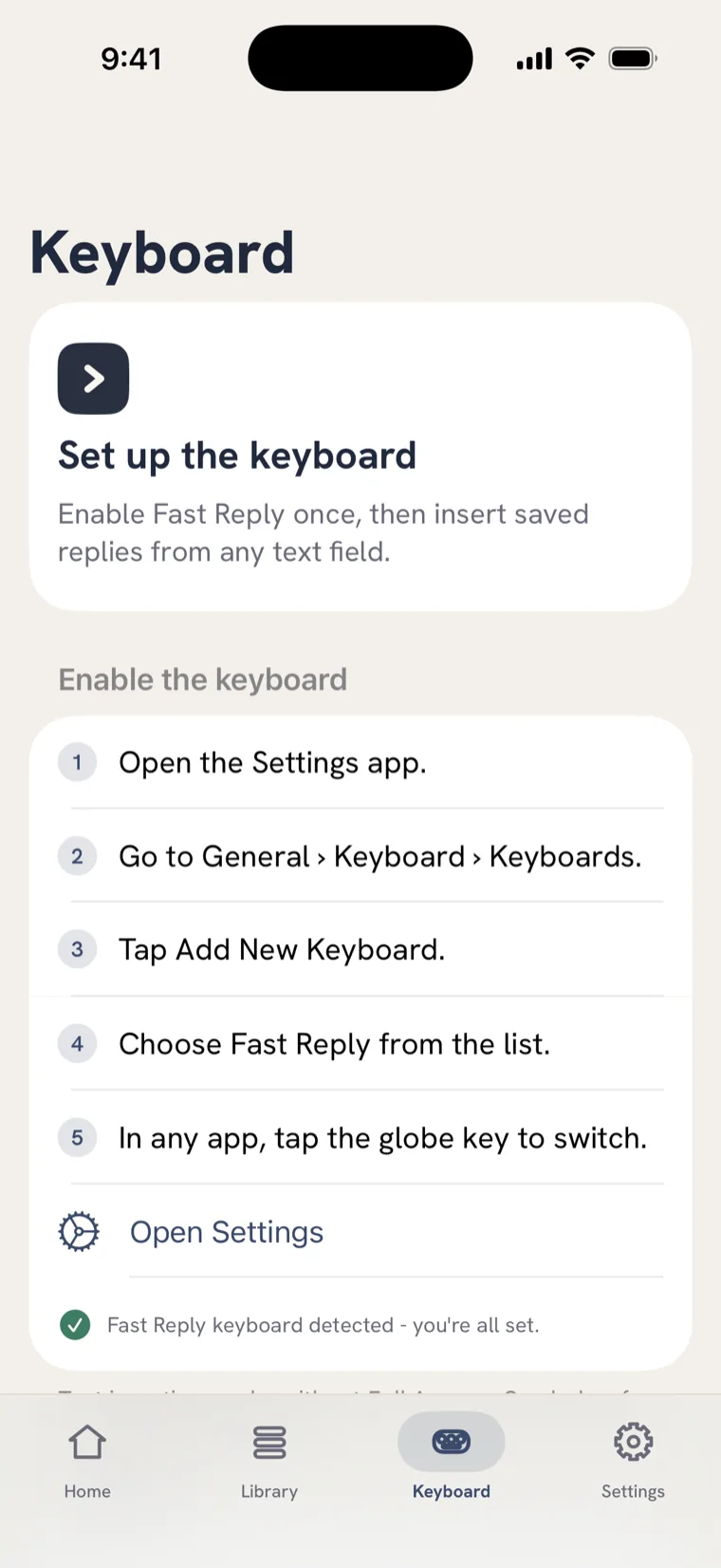
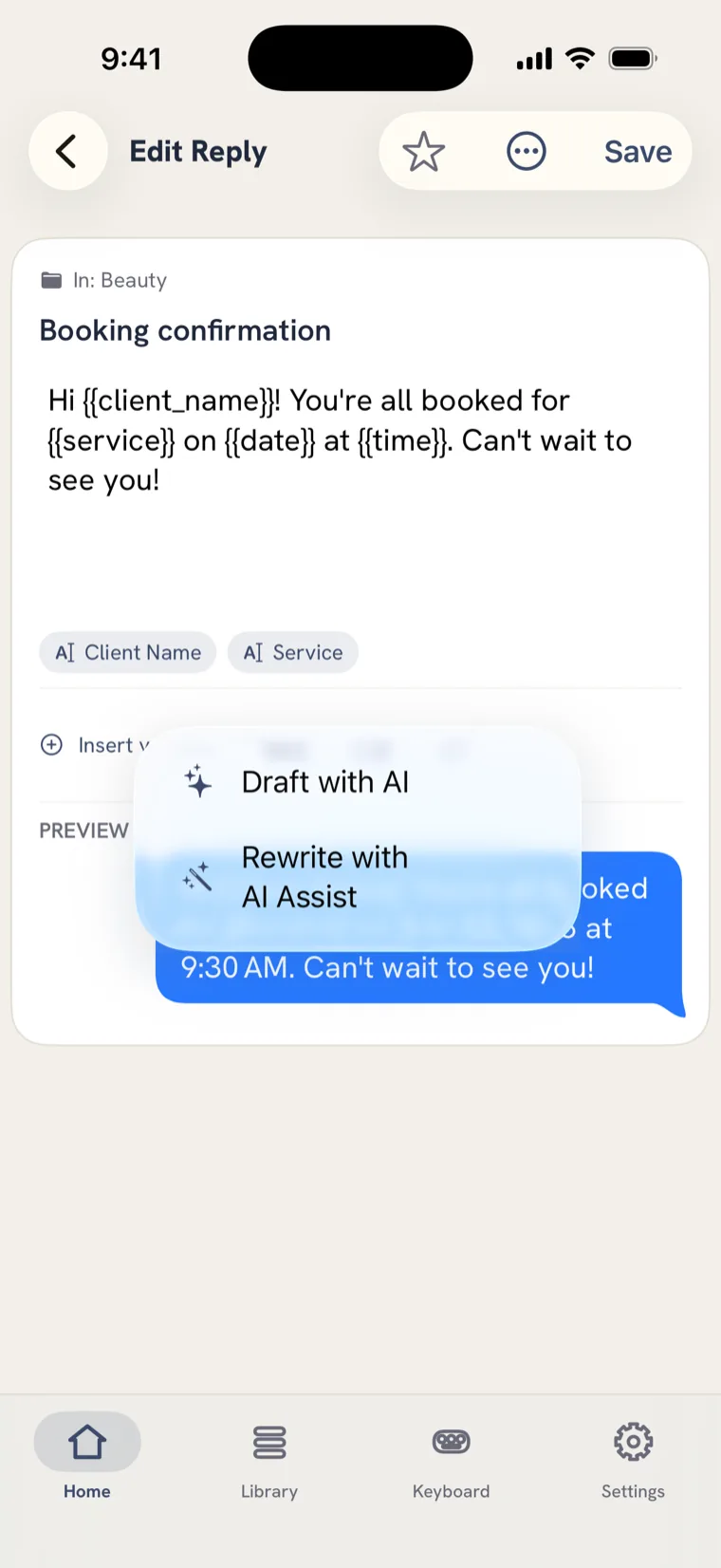
Your replies in tidy folders, a quick blank to fill before you send, a one-time keyboard setup, and a tap to reword anything on the fly.
How it works
Set up once, save time every day after
A minute now, and the messages you send most are one tap away for good.
-
Drop in the replies you already send
Paste your go-to messages and Fast Reply splits them into separate replies. No re-typing - your library is ready in minutes.
-
Mark what changes each time
Add a blank where the name or date goes. Now one reply fits every conversation, instead of a dozen near-identical copies.
-
Add the keyboard
One trip to Settings turns it on everywhere. After that, the globe key brings your replies up in any app.
-
Tap, personalise, send
Pick a reply and it fills itself in - name, date, even a price sheet attached - ready to go in a second.
Grows with you
Still fast when your library isn't small
-
Find any reply in seconds
Folders within folders, by client, property or project, so a library of hundreds never turns into a scroll.
-
Your team, one voice
Share a library so everyone answers the same way. Update the wording once and it changes for the whole team.
-
Onboard someone in a tap
Send a private link and they get your whole folder, ready to use. Installing a shared folder is free.
-
Wherever you reach for it
The keyboard, a home-screen widget, an iMessage app, the Share sheet, Siri - the same library behind all of them.
Private by default. Your words never leave your phone.
Your replies live on your device, not on our servers - so we can't read them, and neither can anyone else. No account to create, nothing logged, nothing tracked. Fast Reply saves you time without asking you to trade away your privacy for it.
Guides
How to do the thing you searched for
Each guide answers the question first, then shows how to do it in Fast Reply.
Snippets on the keyboard itself
Tap the snippet you want instead of memorising a trigger code.
Read the guideText expansion on iOS
What works on a phone, what does not, and how to set it up.
Read the guideCanned responses, properly
Reusable replies for any app — not just the call auto-reply.
Read the guideApple’s Text Replacement
Set it up in 30 seconds — then the four walls you will hit.
Read the guideSwitching from a desktop expander
Six things to check before you move your snippets to a phone.
Read the guideWhen the keyboard disappears
Why iOS drops custom keyboards, and the 20-second fix.
Read the guide24 real estate text templates
Showings, offers, follow-up. Copy them, or install the whole folder.
Read the guideA shared library for a team
Five people, one set of approved replies, one owner.
Read the guideFAQ
Questions people actually ask
What is a text expander on iPhone, exactly?
Anything that turns something short into something long. iOS has a built-in version (Settings › General › Keyboard › Text Replacement) that swaps an abbreviation for a phrase. Fast Reply works the other way round: your replies sit on the keyboard as labelled keys, so you tap the one you want instead of remembering a code.
Can I get my snippets onto the iPhone keyboard itself?
Yes - that is what a custom keyboard is. Once Fast Reply is enabled in Settings, your snippets are one tap away in Messages, Mail, WhatsApp, Instagram, Slack or a browser form, with no per-app setup.
Is what I type private?
Yes. Your replies live on your phone, not on our servers, so we never see them. There is no account to create, nothing is logged, and nothing you type is transmitted or tracked.
Why does my third-party keyboard keep turning off?
Three different things get reported as this: a major iOS update resetting the enabled-keyboards list, a secure field (passwords, payments) refusing third-party keyboards by design, or the extension being terminated for memory. The fix is different for each.
What is wrong with Apple’s built-in Text Replacement?
Nothing, for short strings - it is free and already there. It stops at four walls: abbreviation-only so nothing is browsable, one flat list with no folders, nothing in it can be variable, and no way to attach anything or share a set with a colleague.
Can my team answer from the same replies?
Yes. A shared library holds up to five people, so everyone answers with the same approved wording and one person keeps it current. You can also hand any folder over as a private link - installing a shared folder is free.
Is there a set of templates I can start from?
Yes. The guides carry ready-to-use message templates, written to be reused with blanks for the details - starting with 24 for real estate showings, offers and follow-up.
What does it cost?
Free to use and send the replies already in your library. Pro - unlimited creating and editing, blanks, attachments, iCloud sync, shared libraries - is $19.99 a year or $2.99 a month after a 7-day free trial.
Save your first reply in under a minute.
Then never type it again. $19.99 a year or $2.99 a month after a 7-day trial - and free to keep using the replies you already have.
For iPhone and iPad · English and Spanish